What kind of backups does Testuff offer?
All Testuff databases undergo regular backups on our servers and can be restored by us in case of emergency. Furthermore, you may back up your entire Testuff database, including tests and suites, to Excel.
How do I back up to Excel?
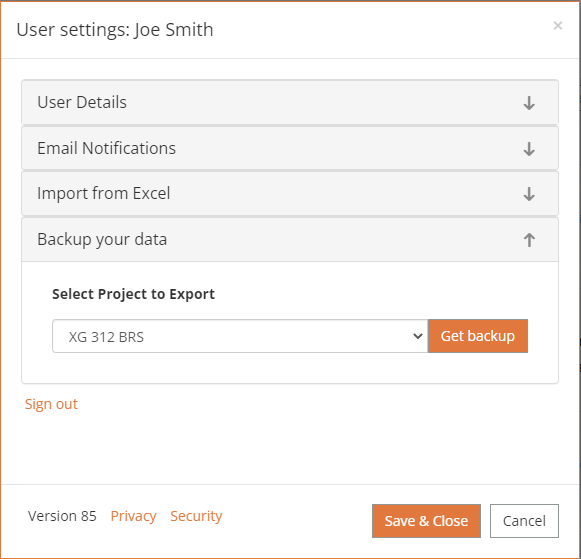
- Click on the User Settings icon at the top right of Testuff page.
- Click the Backup your data section.
- Select the project to export and click the Get backup button.
- The following message will be displayed:
- “Excel backup is being generated. A link to your backup file will be emailed to you within an hour”.
Any other options?
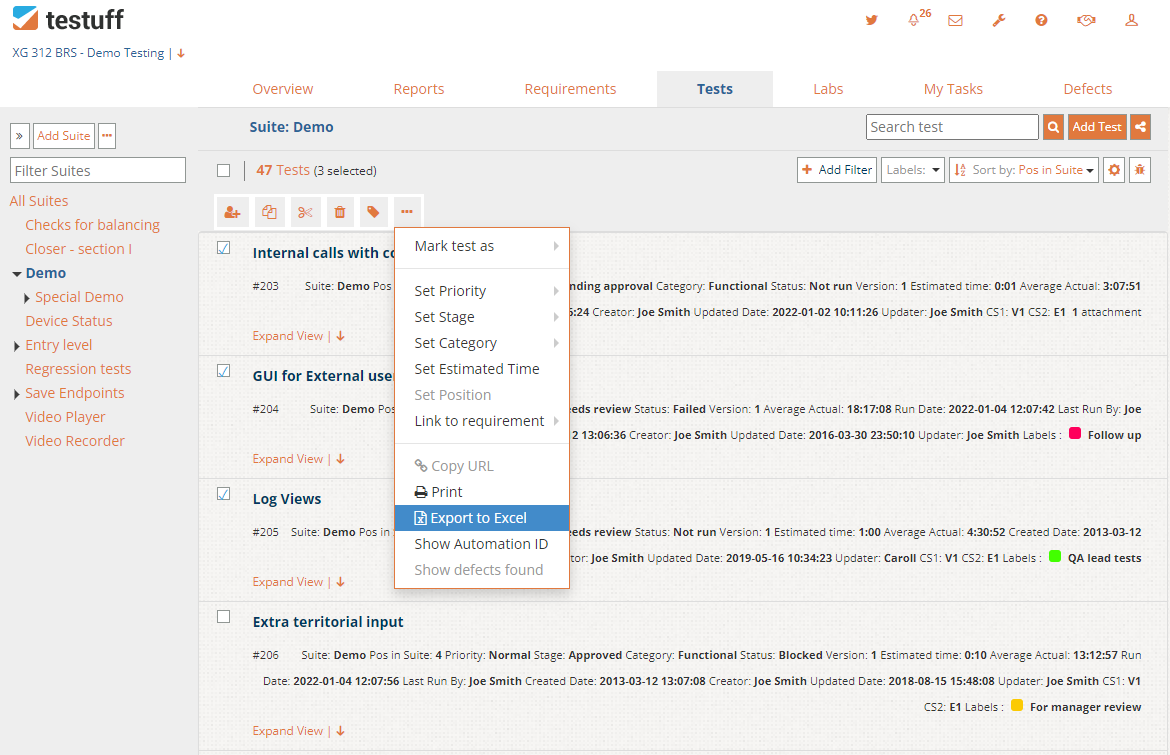
You can export a single test, a group of tests, a suite or a group of suites.
Go to the Tests screen, checkmark all the items you want to backup and click the three buttons menu. Select the Export to Excel menu option, and a file with the selected items will start downloading.
 Export to Excel is also available on all other screens, for all items (assigned tests in labs, tests in requirements, and defects).
Desktop Client Note: The backup link is available under ‘Manage Projects’, for each project.