
Audit Trail
Testuff prioritizes data integrity by providing users with access to an Audit Trail, in compliance with the 21 CFR Part 11 guidelines on electronic records.
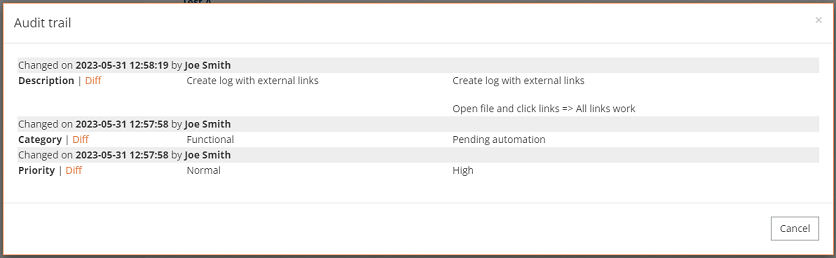
What is an Audit Trail?
An Audit Trail is a record that logs changes made within the system, including details on who made the changes, when they were made, and what exactly was altered. This record is secure, ensuring it cannot be tampered with or modified at any stage.
The information captured in an Audit Trail includes:
- Time-stamp: The exact time the change was made.
- Modification Details: A description of what was changed.
- Modifier Information: Details about the user who made the change.
Why is it important?
Audit Trails are essential for maintaining data integrity and can be crucial for recovering lost data. They serve several important purposes, such as:
- Accountability: Tracking who made changes and when.
- Reconstruction: Rebuilding data history when necessary.
- Intrusion Detection: Identifying unauthorized access or changes.
- Problem Detection: Pinpointing the source of errors or issues.
Additionally, for some organizations, maintaining an Audit Trail is a regulatory requirement, such as compliance with the FDA’s 21 CFR Part 11, which governs electronic records.
How does it work?
Audit Trails in Testuff are designed to be user-friendly and easy to track. Users can access the Audit Trail in various parts of the tool to review changes and identify who made them.
To view the Audit Trail, look for the audit icon  . This feature is available for tests, executed tests (runs), defects, requirements, labs, projects & branches, and testers details.
Desktop Client Note: While the Audit Trail functionality is consistent across both the web and desktop versions, the method to access it might differ slightly.