
What are test custom fields?
Test custom fields are unique fields that you create to include in the test details, tailored to manage your specific testing needs. These fields are not part of the predefined fields in Testuff, and by adding custom fields, you can adapt the test structure to your specific requirements.
How do I customize my tests?
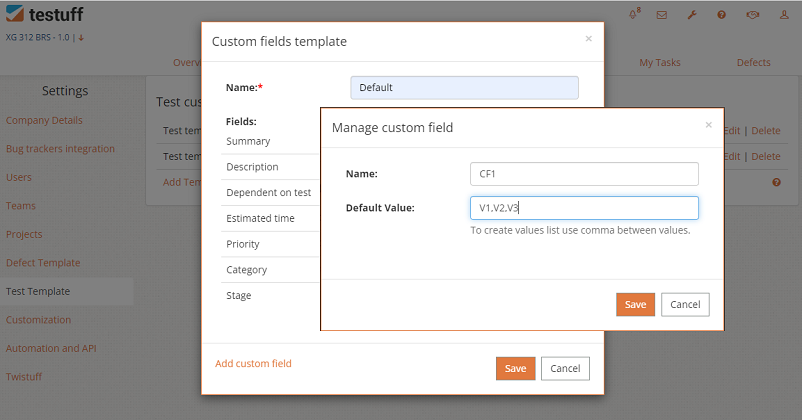
Customizing your tests with custom fields is straightforward. To do this:
- Go to Settings and select the Test Template menu option (under Account Settings section).
- You can either add custom fields to the existing default template or create a new template:
- Click Edit next to the default template to add custom fields. The predefined fields are displayed as well.
- Click Add Custom Field to open the Manage Custom Field window, where you can enter the name of the custom field and its default values. Separate multiple values with commas to create a selection list.
- After adding custom fields, you can rename the template if needed.
The predefined fields are always showing in tests, and cannot be removed. For some fields, you can control their values, under Account level fields setup section.
What is the Custom Field Template?
The Custom Field Template allows you to use different custom fields in different projects. You can assign a specific template to each project, and the tests within that project will display the custom fields from that template. If you need the same custom fields across all tests and projects, you can use a single template.