
Can I write comments while running tests?
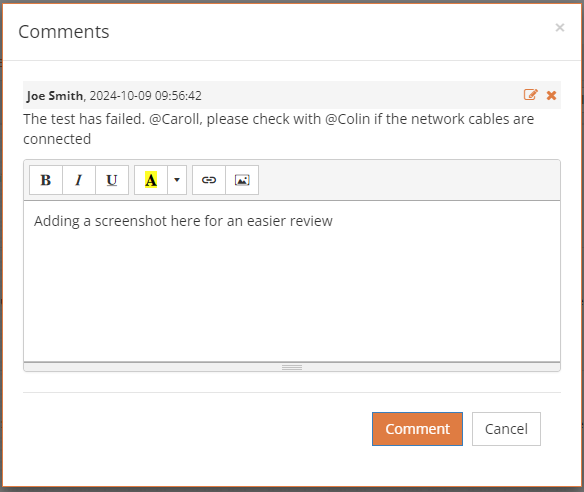
You can add comments to the test while running it, using the comment icon ( ). The comment editor is a rich text editor that supports text formatting and links to external URLs, allowing you to include additional information such as load time, references, or any other details you wish to keep with the test run. This includes file attachments and screenshots.
Sending a message from the comment
You can tag another tester on the project by using `@USERNAME` (no spaces). The tagged tester will receive a notification and can view the test and comment with a single click.
Adding Comments via Automation
You can also add comments through the API from your automation scripts.
Where can I view comments?
Comments are saved for each test run and can be viewed in the comments editor, or as a comments list for the test (Look for the Comments in the test’s menu).
Other Places Where Comments Are Available
Besides test runs, comments can also be added to tests in the Test Editor and to defects, ensuring you always have a place to provide feedback or additional information.
Desktop Note: Right-clicking an executed test in these locations also allows you to view comments. Additionally, you can view all comments for a lab by using the right-click menu on the lab and selecting `Reports → Comments`.